Work up to your training weight.
Get suggested warm-up sets and add them straight before your working sets. You can adjust the weights and reps.
Add warm-up setsFeatures
Start with a ready-made plan or build your own program. Know what to do today, then build on what you achieved next time. hitPR helps you keep everything in order, from your first set to your next personal record.
Free workout logging and planning · No ads or account · For Android and iOS
Plan
Want structured training without building a spreadsheet first? Choose a ready-made plan or put together your own program. Your exercises, set targets and progression rules are ready when you reach the gym.
From full body and Push Pull Legs to GZCLP and 5/3/1: the catalogue explains who each plan suits, how it works and what matters. The Plan Finder helps you choose. Set targets and suitable progression rules are already in place — adjust the plan and start training.
Explore workout plansCreate as many plans, days and weeks as you need, from a single workout to a training cycle spanning several weeks. Six exercise types cover your training, from weight and reps to time and distance. Missing an exercise? Create it yourself and assign the muscles involved. You can link recurring exercises across several days so they progress together.
Create your own planPreview your exercises, set targets and estimated workout duration before you start. The estimate accounts for performing sets, rest, exercise changes and preparation. If you have completed this training day before, you can compare it with the duration of your recent sessions.
Estimate your workout time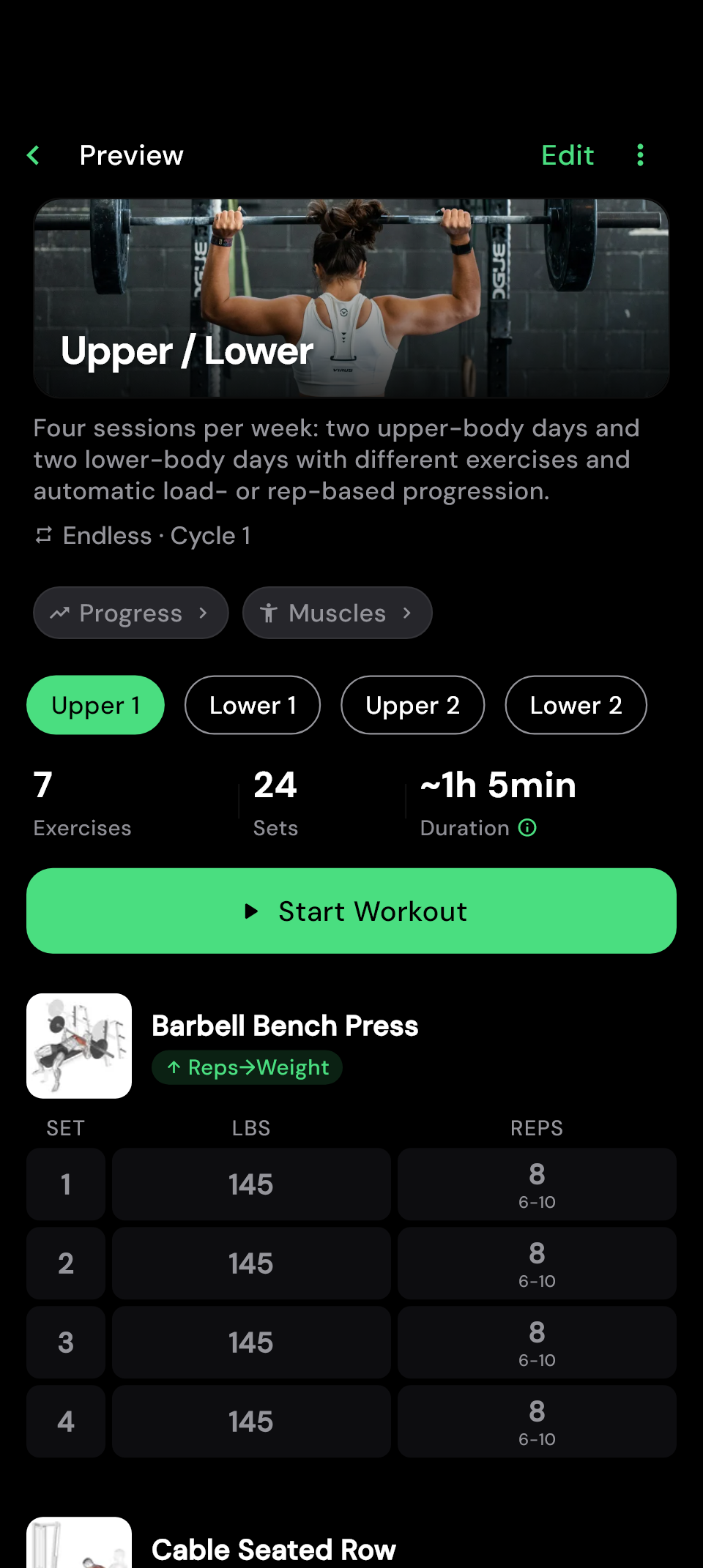 Enlarge image
 Answer a few questions and get the training plan that fits you best. When life gets in the way, it adapts.
Goal, experience, days, time per session, focus and equipment. For every combination the best plan has been calculated in advance, by fixed rules based on training science. No AI, no randomness.
Every day fits your minutes. Push and pull stay in balance, each muscle gets enough sets for your level, and the big lifts come first, with the equipment you have.
Less time today or a different gym? Adjust just the next workout. More days or new equipment? Recalculate the whole plan. A machine taken? Swap the exercise for one that does the same job.
Double progression: first the reps go up, then the weight. A deload rule is built in for when you stall.
With hitPR Pro
 Enlarge image
 Train
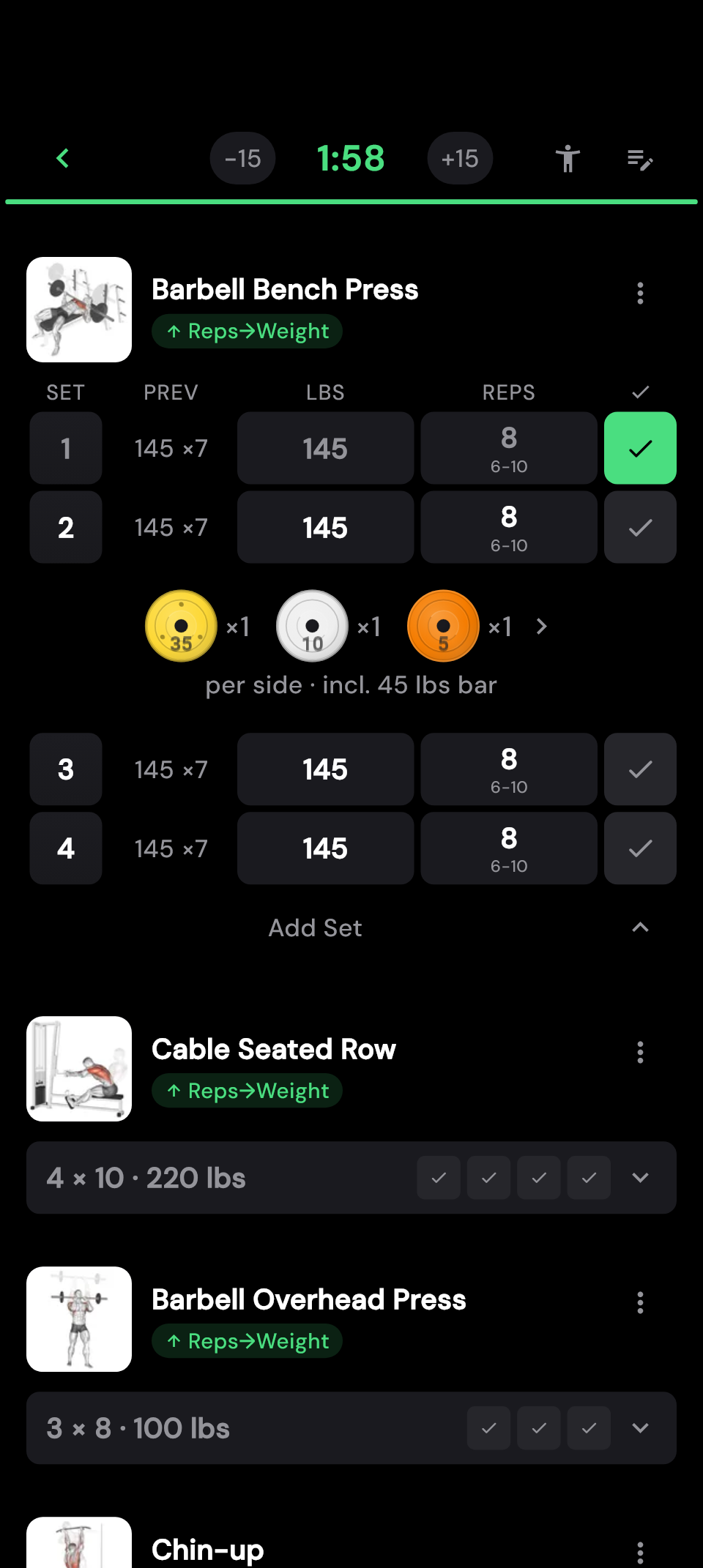
Keep your attention on your set. Your previous numbers and today's targets are right there beside the exercise. Record your weight and reps, tick off the set and see what comes next.
Equipment taken or less time today? Swap exercises, add sets or change the order. At the end, you decide which adjustments stay in your plan.
Your notes where you need them. Add notes for a particular session, or save details such as seat height and grip width as a global exercise note for every workout. Both are accessible at the exercise while you train.
How to use both types of note.Prefer to decide as you go? Start without a plan and add your exercises along the way. If you like the workout, save it as a template afterwards.
Get suggested warm-up sets and add them straight before your working sets. You can adjust the weights and reps.
Add warm-up setsFind similar exercises using the equipment available. You decide whether the replacement is just for today or stays in your plan.
Find a suitable exerciseLog demanding sessions too, with supersets, drop sets and AMRAP sets for as many reps as possible.
Use RPE or RIR to record how hard a set felt — and take that into account when progressing.
The plate calculator shows what to load on each side, based on your bar and the plates you have entered.
The countdown starts after your set. You choose the rest time for each exercise.
Progress
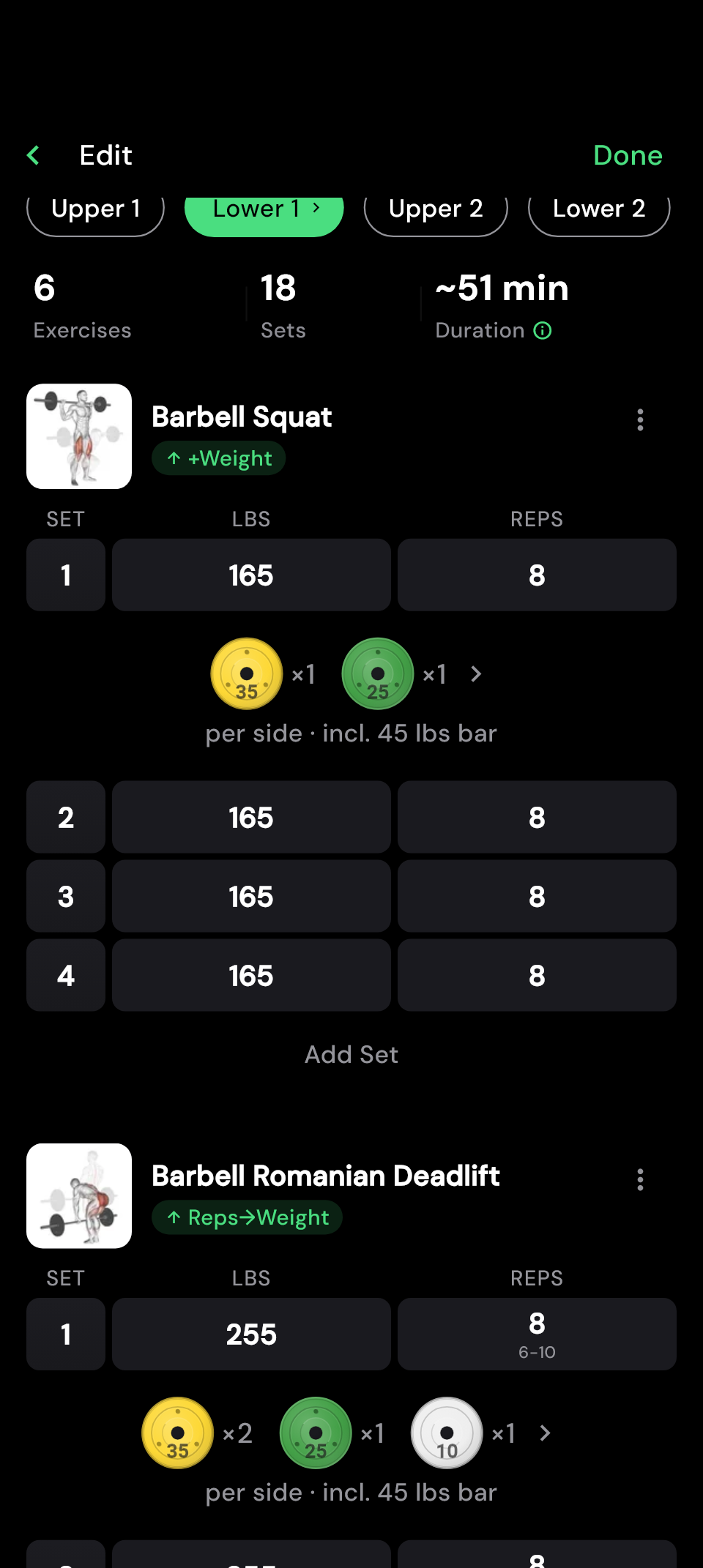
When should you add weight? When should reps come first? You set the rules for each exercise. hitPR assesses your completed sets and enters the next targets in your plan. Build on your last workout without keeping track of every adjustment yourself.
Does your plan use percentages? Enter your Training Max and set the percentages. hitPR calculates the weights for your sets.
Explore automatic progressionIncluded for free · For workouts from your training plan
 Enlarge image
  Enlarge image
 Review
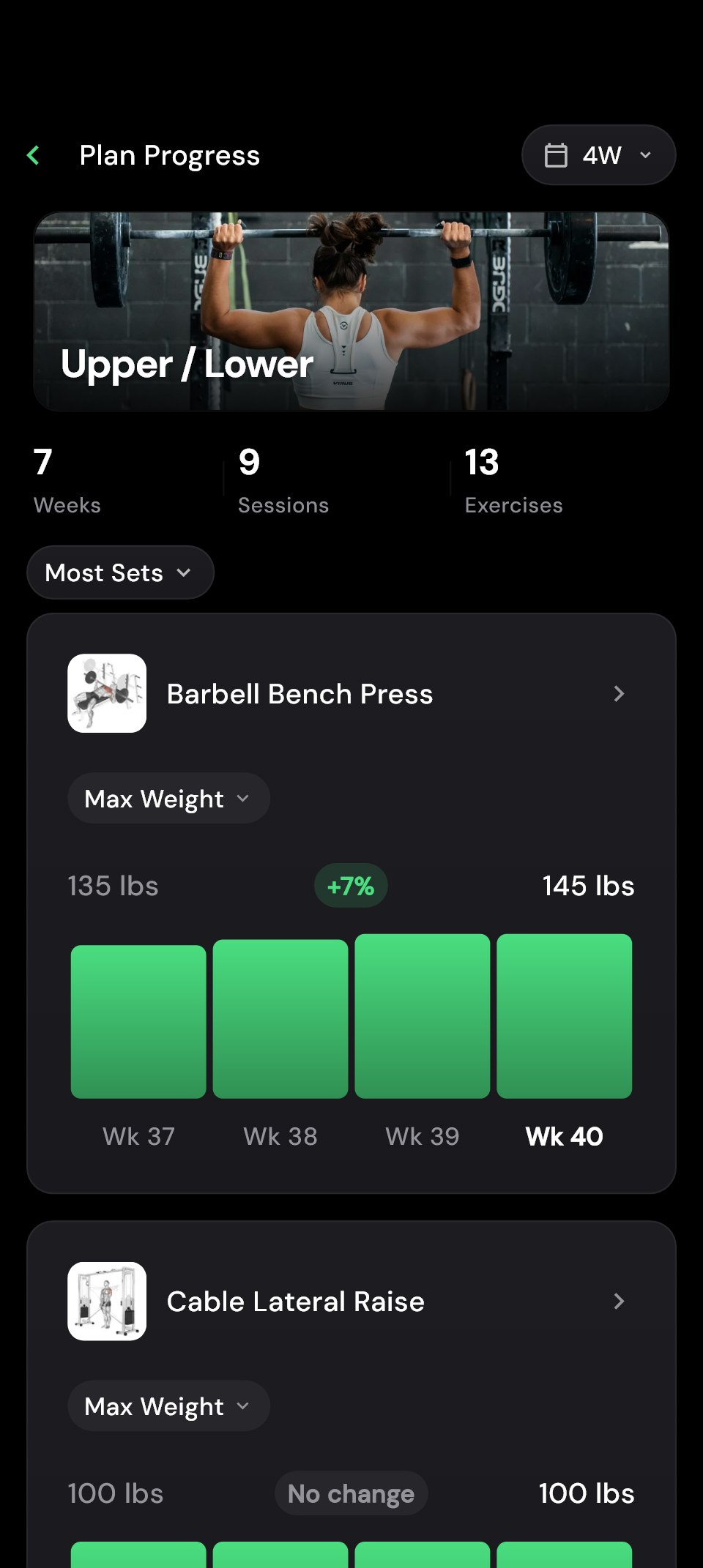
Sometimes every session feels the same. Your history shows what is still changing: more weight, more reps or more consistent training. Compare individual exercises or your training plan and see what you have achieved over the weeks.
hitPR detects new personal records when you complete your sets. You can find them again later in your analysis. And if you want to share your workout, create a results image with the numbers you want to show.
The muscle map shows how your sets are distributed across the muscles involved. See where your training is focused and check which muscles a session covers while you are still planning it.
How to read the muscle mapAnalysis of the last four weeks is free. Longer periods are available with Pro.
Your data
You trained for your progress. Your workout history belongs to you and stays on your device. Plan, train and review your progress without a hitPR account, without ads and even without reception at the gym.
hitPR is an independent solo project. You choose whether to help improve the app with optional usage statistics and crash reports. Both are off by default.
Bring your workout history from Strong, Hevy or FitNotes using a CSV export. Before importing, check which exercises are matched to your existing entries.
Export your data as a file and keep a backup. Manual export and restore are free.
With Pro, you can enable automatic, encrypted backups in your own Google Drive or iCloud.
Your own plans, workout logging, automatic progression and tools for your sets are included. You do not need a subscription for them.
With hitPR Adapt you get a plan that fits your answers and adapts when life gets in the way. Pro also adds longer-term analysis, automatic cloud backups and Wear OS watch support on Android. Pro is available as a subscription or a one-time purchase.
Make it yours
16 accent colors, optimized for dark displays. Pick your color — the entire app adapts.

Get notified when the app launches. You can already browse the plans to find one that suits you.