Train with the equipment available to you
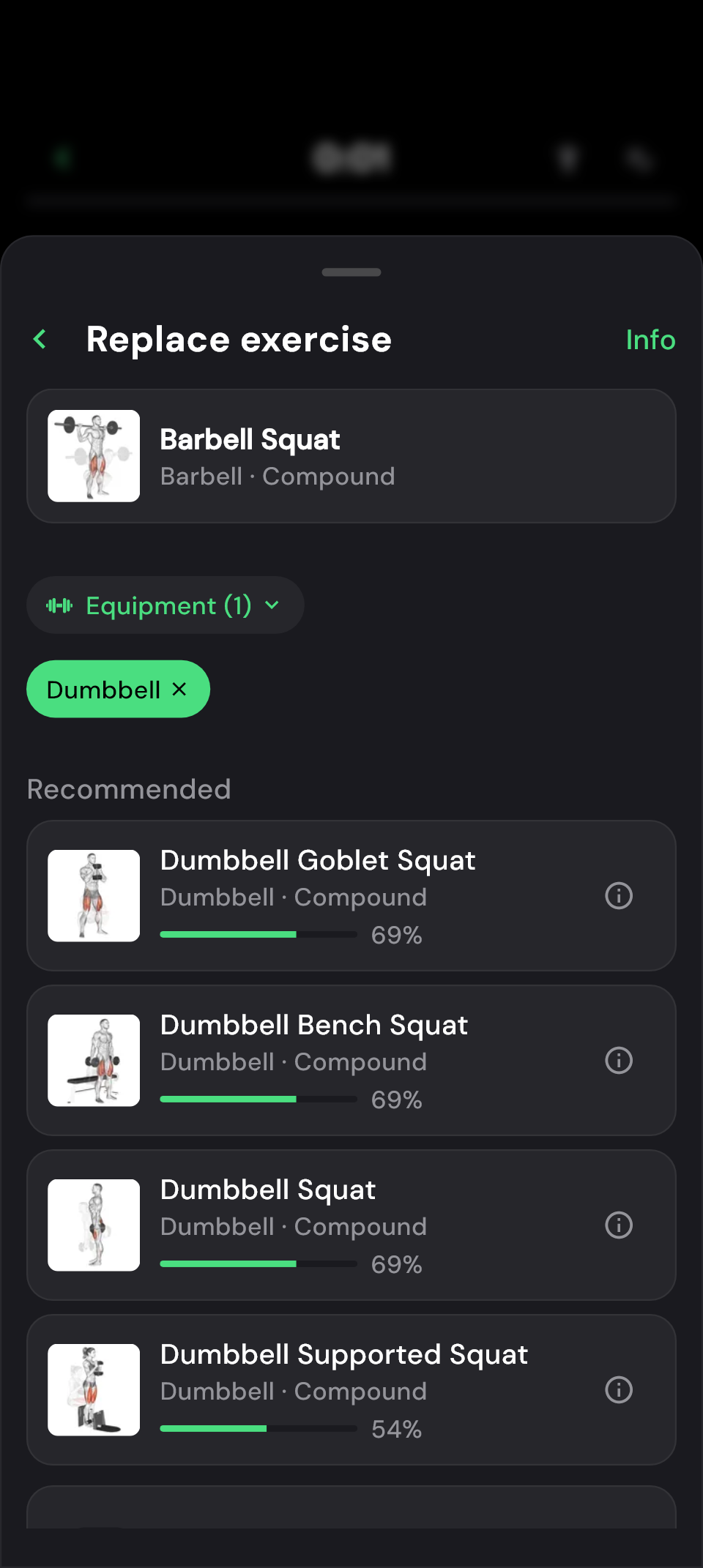
If the machine you planned to use is taken, look for a replacement straight from your planned exercise. The equipment filter narrows the suggestions to options such as dumbbells or cables. You can find an alternative without rebuilding your whole training day.
If none of the suggestions suit you, choose another exercise yourself through Browse all exercises. The choice stays yours, even when the app cannot suggest a similar exercise.
How to replace an exercise
- Expand the exercise during your workout and open its three-dot menu.
- Choose Replace and narrow the suggestions with the equipment filter if needed.
- Select your alternative and confirm the change.
- Check the weights, reps and settings before your next set.
In the plan editor, tap the exercise to open the selection. Changes there apply directly to your plan.
Which alternative fits your workout?
The suggestions take the original exercise’s target muscle and movement into account. This helps you choose an exercise that fits what you intended for this part of your workout.
The percentage shown helps you compare suggestions. Your available equipment, experience with the exercise and preferred way of performing it also matter. The highest score may therefore not be the right replacement for you; it does not predict which exercise will produce better progress either.
 Enlarge image
 Set suitable targets for the new exercise
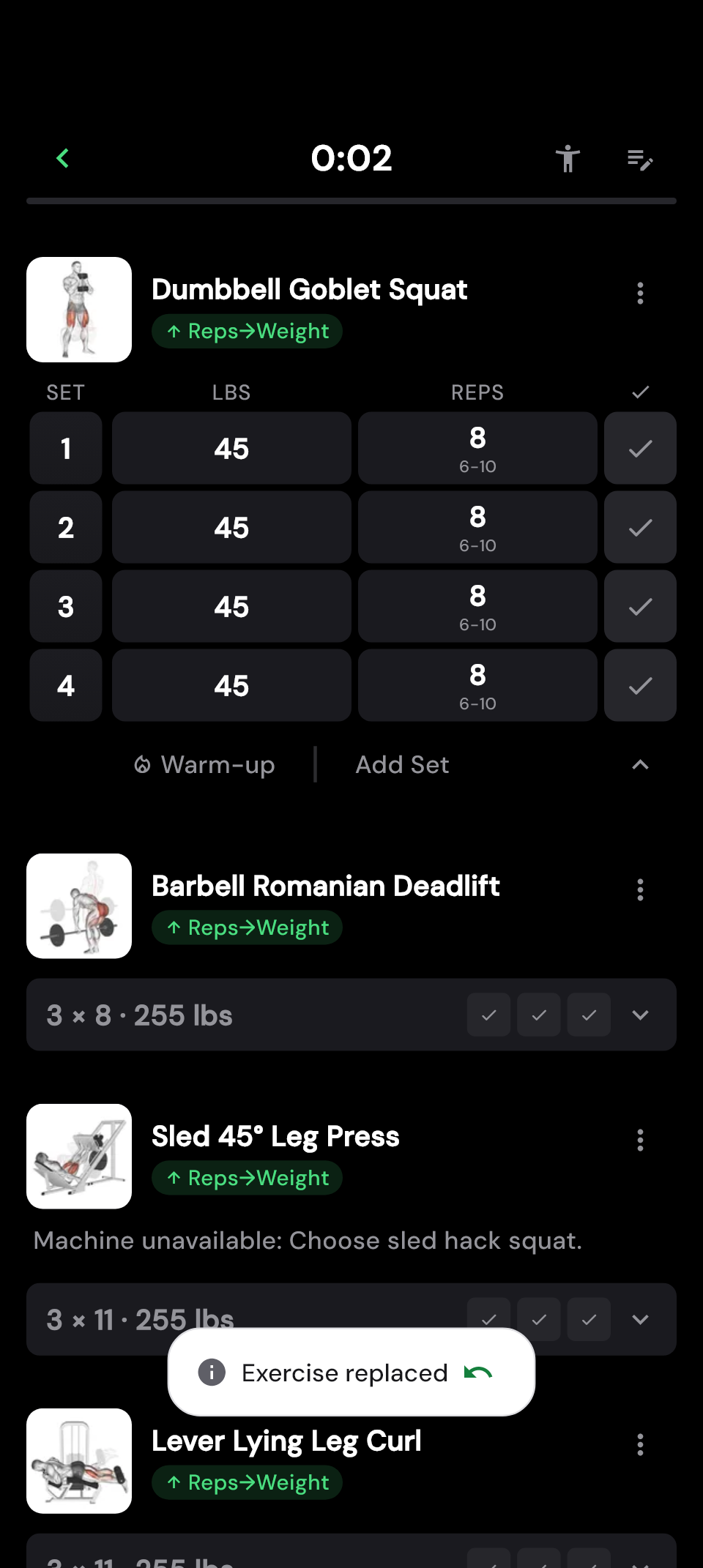
Weights are only comparable to a limited extent across exercises and equipment. When switching from a machine to dumbbells, choose a weight that suits the new exercise. Check the reps and progression settings after replacing it too, even if values are already filled in.
Replacing an exercise is easiest before its first set. Sets you have already ticked off are reopened when you switch. If you tapped the wrong option, you can undo the change straight away to restore the previous state.
Keep a useful alternative in your plan
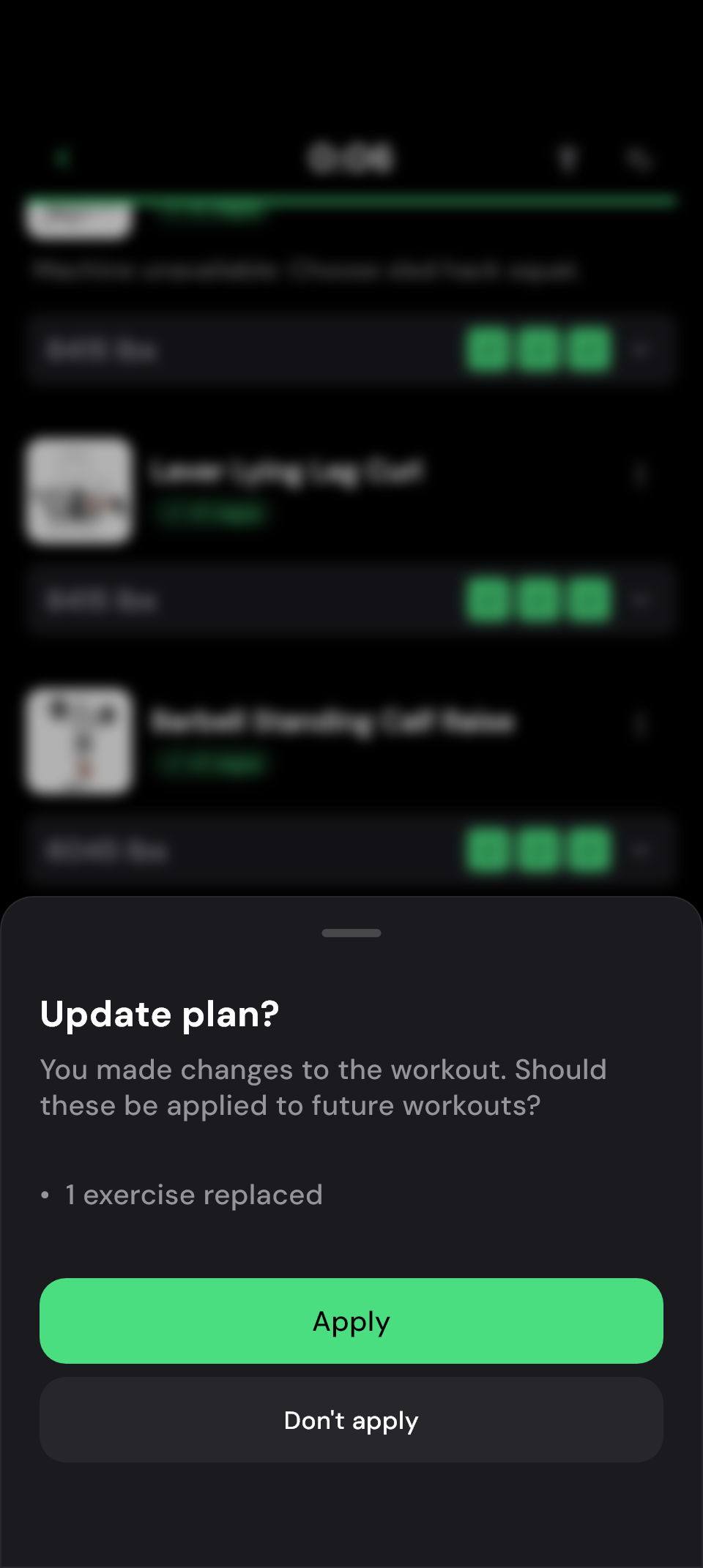
The equipment may only be taken today. Or you may want to keep training with the replacement. When you finish your workout, Update plan? lets you choose whether to save the change in your plan.
If you decline, the original exercise will be ready next time. Today’s workout with the replacement still stays in your history. If you apply the change, you do not need to edit the plan again afterwards.
Your decision applies to the whole list of changes shown. Check any other adjustments from the session too. See keeping changes for your next workout for more.
 Enlarge image
  Enlarge image
 Frequently asked questions
Can I replace an exercise permanently in my plan?
Yes. Open the exercise in the plan editor and choose Replace. The change is then ready for future workouts.
Are rest times and supersets kept?
When you replace an exercise during a workout, its position, rest time and superset assignment stay the same.
What happens to an exercise that progresses together across several days?
In the plan editor, you can choose whether to replace it on this day only or on all linked days. A replacement on just one day progresses independently from then on. The same applies when you save a replacement from an active workout to your plan. Read more about shared targets across several days.