Work towards your targets from one workout to the next
You may want to add weight once you complete the planned reps, or build reps before reaching for the next dumbbell. Set these rules once and let them apply as you train. Your next session will already contain the resulting targets.
You set progression for each exercise, so you can take a different approach to your main lifts and accessory work. The feature is free and available for workouts from your plan. A ready-made catalogue plan already includes its settings.
Choose when to take the next step
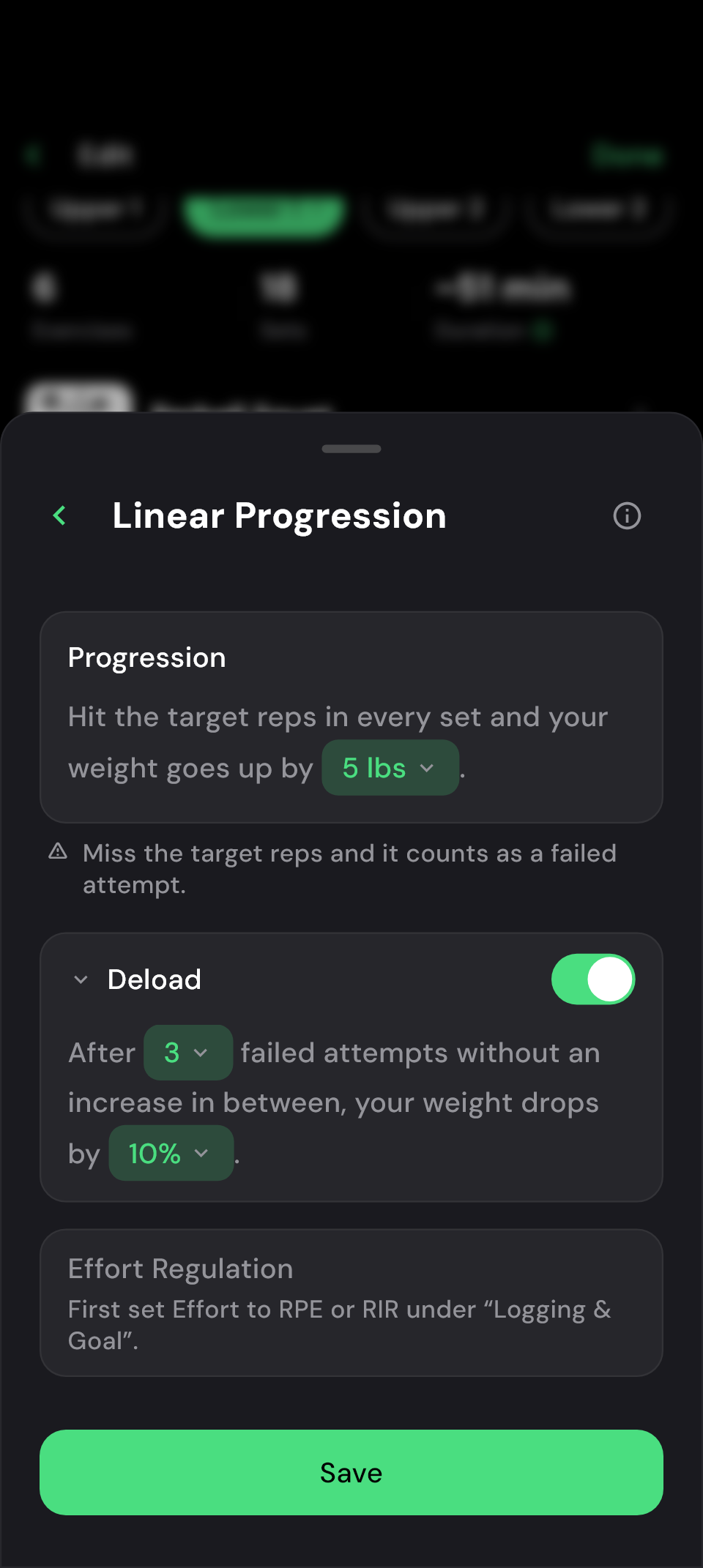
Progression should fit your approach to training and the weights available to you. Choose what to increase and by how much. Depending on the mode, you can also decide what happens when you repeatedly miss your targets.
How to set up automatic progression
- Open an exercise's settings in the plan editor or during a workout from your plan.
- Tap the card showing the current progression mode or No Progression.
- Choose a mode and set your increments and targets.
- Save the rule. If you are in a workout, it is saved to the plan when you finish.
Your logged sets determine the next target
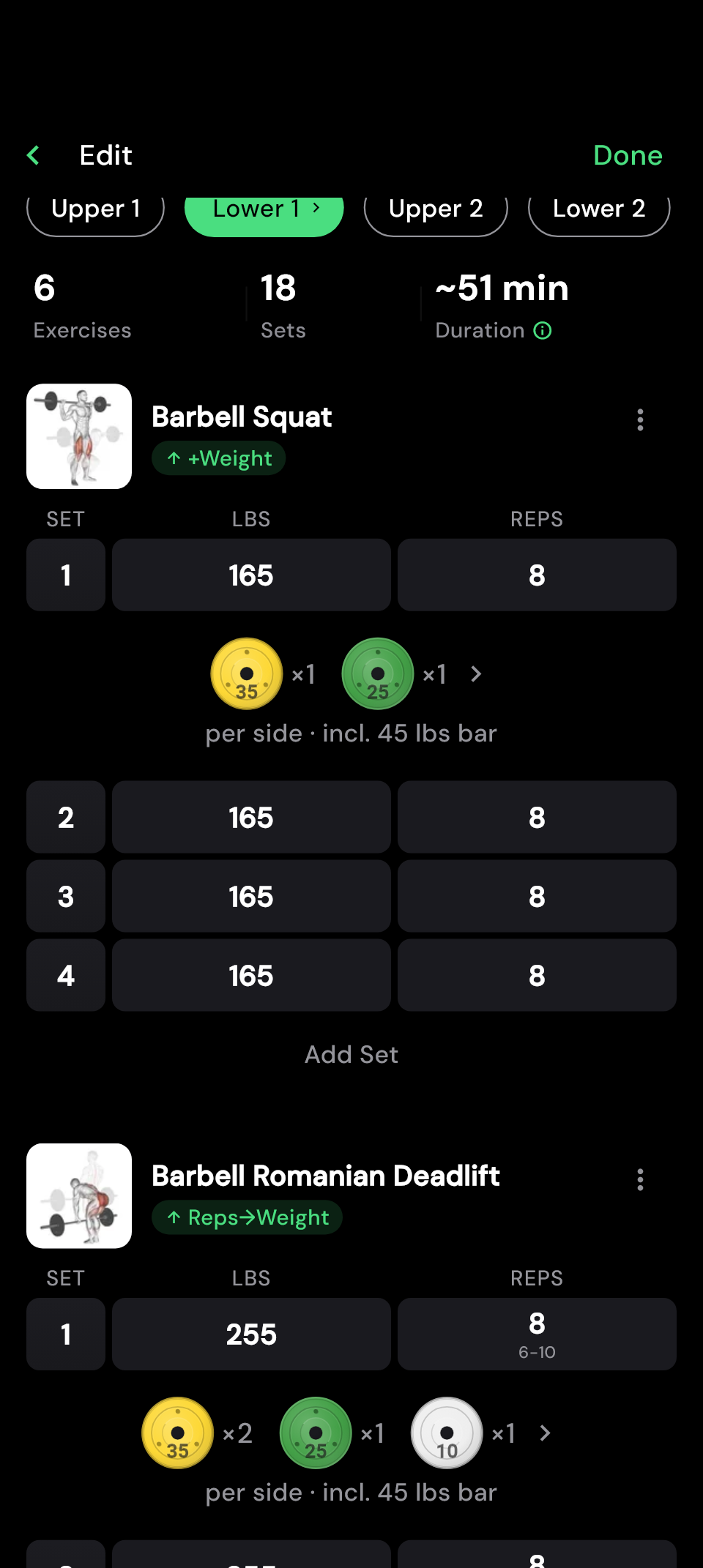
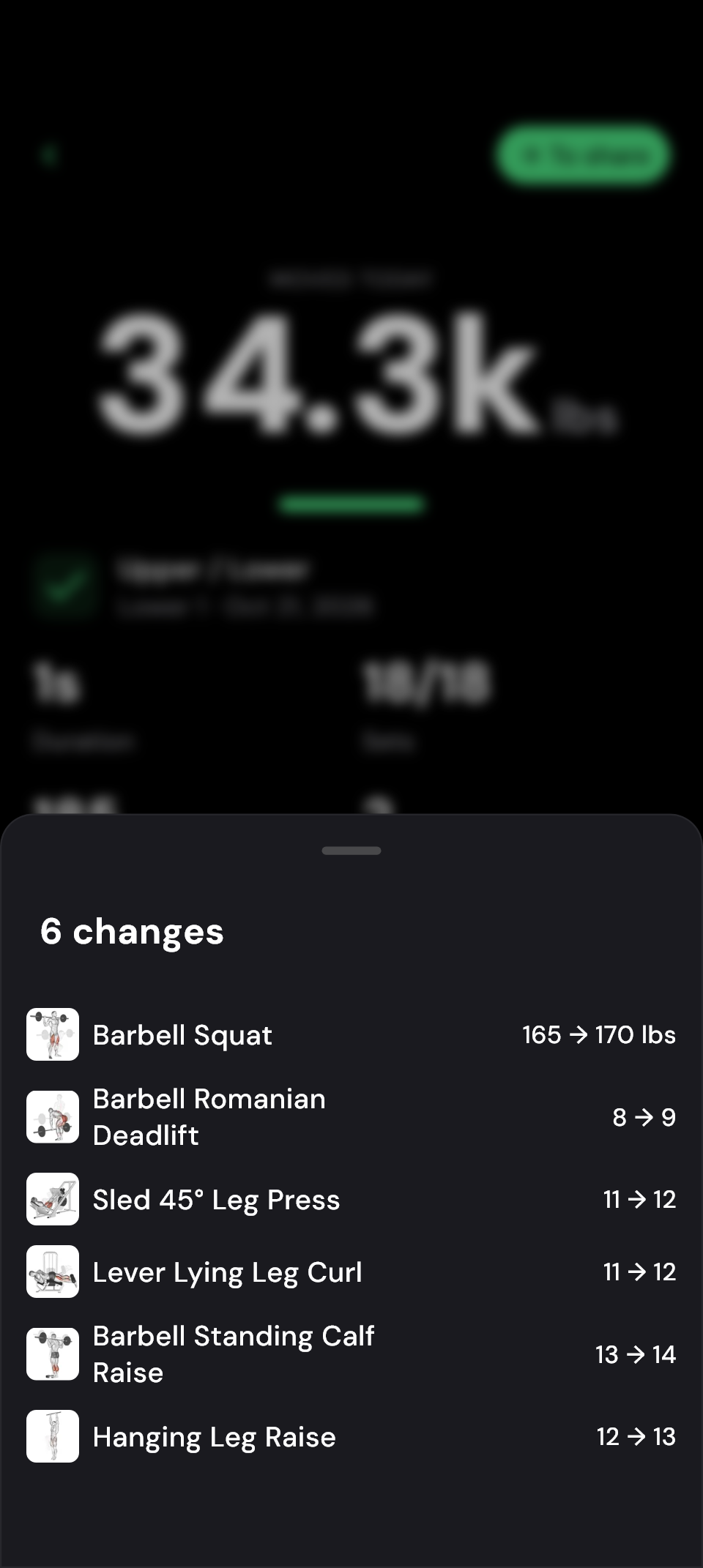
For example, suppose you use linear progression with four sets of eight reps at 165 lb in your plan. You have chosen a weight increment of 5 lb. Complete all the reps at that weight and 170 lb is planned for next time. If you are still one rep short, the weight stays the same for now, unless a reduction you have configured applies.
Enter what you actually achieved and tick off your completed sets. Once the exercise is fully completed, you see a preview of the change. When you finish the workout, the new targets are saved to your plan. Open Changes in the summary to compare your previous targets with what is planned next.
If you trained with a different weight today, it can become the basis for the next target. Check the change even after a deliberately lighter session.
 Enlarge image
  Enlarge image
 Choose how you want to progress
The options available depend on your exercise. To choose, consider what you want to improve next:
| Your approach to training | Suitable mode |
|---|---|
| Add weight after reaching your set targets | Linear Progression |
| Build reps or hold for longer before adding weight | Double Progression |
| Increase targets for bodyweight exercises or holds | Rep or Duration Progression |
| Base the weight increment on a set with as many reps as possible | AMRAP Progression |
| Use logged effort to adjust targets | RPE/RIR Progression |
| Follow a set sequence of different set structures | Schema Change |
With Double Progression, for example, you set a range of eight to twelve reps. Your rep targets rise first. Once you reach the top of the range in all working sets, the weight increases and you start again at the bottom of the range. The double progression article explains the method.
RPE and RIR describe your estimated effort: how hard a set felt or how many more reps you could have completed. You need to record these values to use this mode. See RIR and RPE compared for background, or progression systems in strength training for a broader overview.
Another rep can be progress too
With double progression, your rep or duration target rises first. Keeping the same weight may therefore be exactly what your rule calls for. Check the next set targets before increasing the weight yourself.
If an expected change does not appear, check that all sets are completed and the information your mode needs has been entered. Unfinished warm-up sets also prevent the exercise from being fully assessed. If you enabled the optional effort limit, it may hold back an otherwise planned increase.
Decide what happens after repeatedly missed targets
Several modes let you set a reduction after a chosen number of missed targets. The app calls this step a Deload. After repeated misses, your plan contains a lower target to work from.
You choose how many misses can accumulate and how much the target drops. A successful increase resets the counter; a workout that is not assessed leaves it unchanged. The misses therefore do not have to be consecutive. With Schema Change, what happens next depends on your chosen sequence of set structures.
Frequently asked questions
Can I still adjust my targets myself?
Yes. Edit the targets or choose No Progression to make all adjustments manually. While a workout is active, you can also correct logged sets; the preview is then recalculated.
Can I undo progression after finishing a workout?
After finishing, you can change the targets manually in your plan. Deleting a past workout does not undo its progression.
Does the next target apply to my other training days too?
You can link the same exercise to progress together across several days. Those days then share their targets. This is useful if you want to keep working towards the same targets every time you train that exercise.
Does automatic progression work in free workouts?
It is designed for exercises in a training plan. It is not available in free workouts or for cardio.